Menu
Board, list, and map

Dispatch

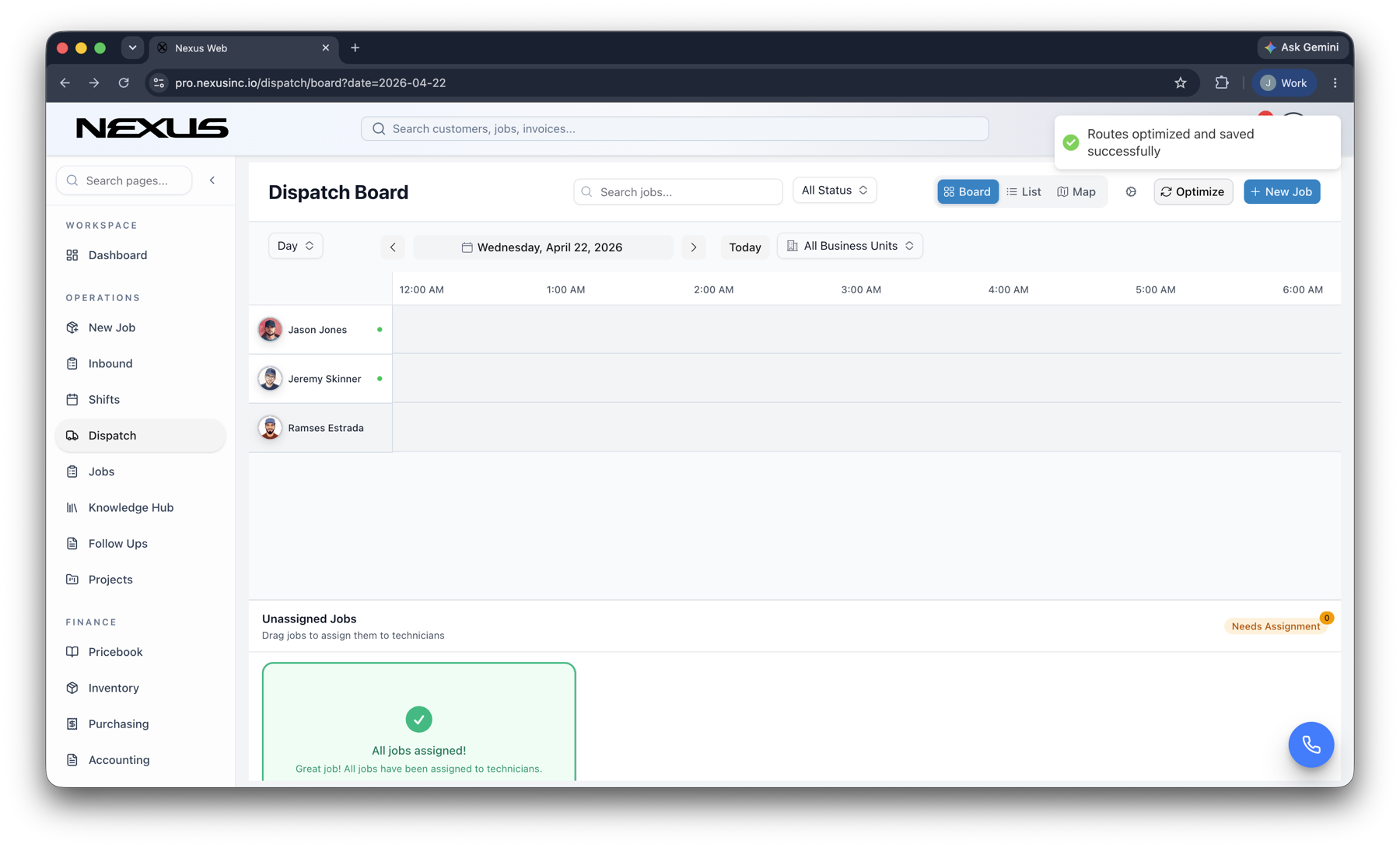
See today’s work. Move the next job.

Dispatch from a live board, a tech list, or the map. Reassign when a no-cool runs long without losing the customer or the window.

check_circleMatch by skillcheck_circleProtect arrival windowscheck_circleReact to change
See today’s work. Move the next job. product interface
Liveboard visibility
Skills-firsttechnician matching
Dynamicroute decisions

Inside the product

Purpose-built around the work, not the software.

Every Nexus product shares the same design principles: complete context, fewer handoffs, clear next actions, and a connected record that gets more useful as work moves.

dashboard_customize

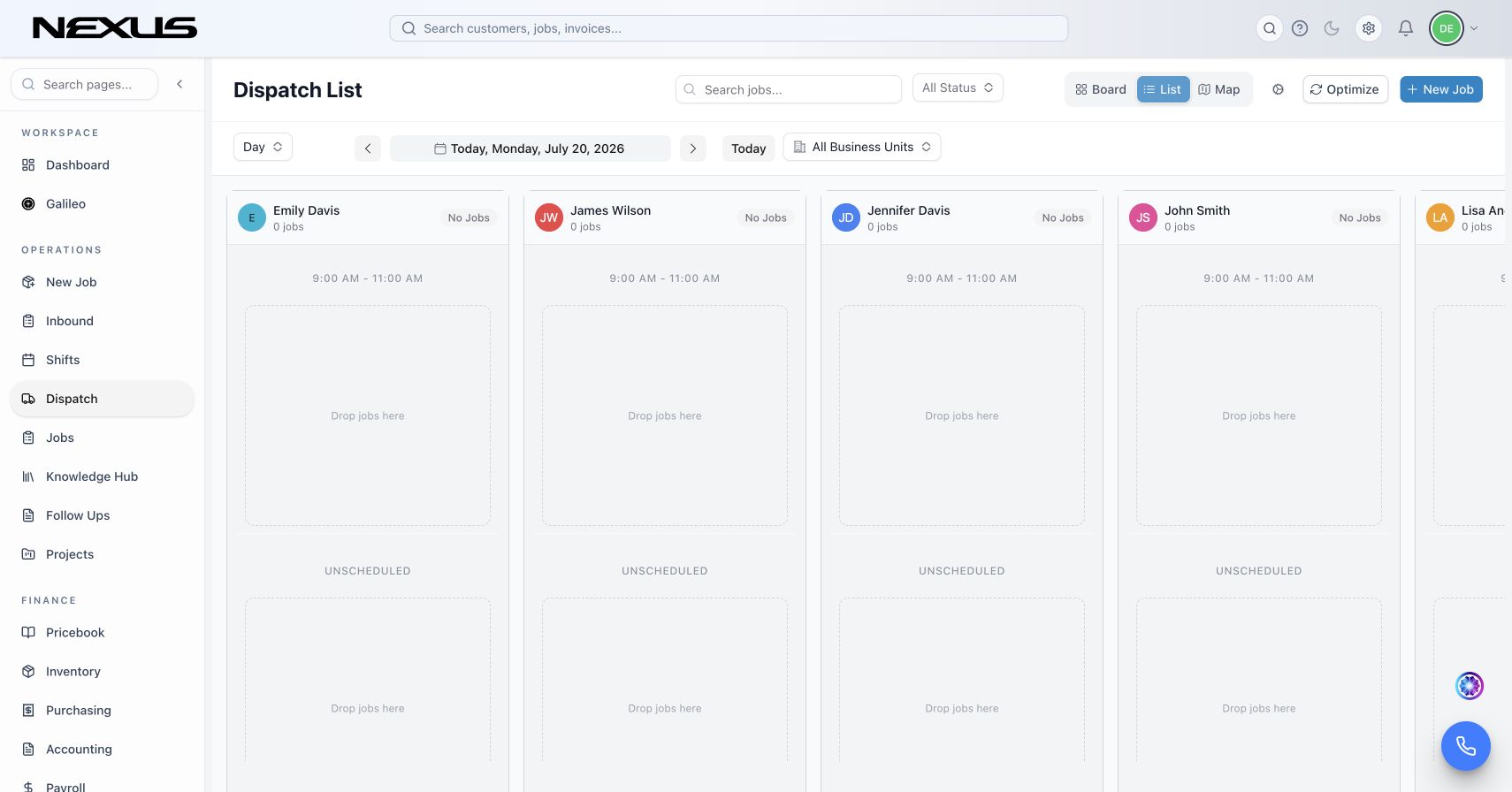
Board, list, map

See the day, then move the next job.

Work from the board, the tech list, or the map. Capacity, travel, and job status stay in one place so you can reassign without bouncing between tools.

  • check_circleLive technician and job status
  • check_circleDrag-and-adjust the board
  • check_circleOpen work when a window slips
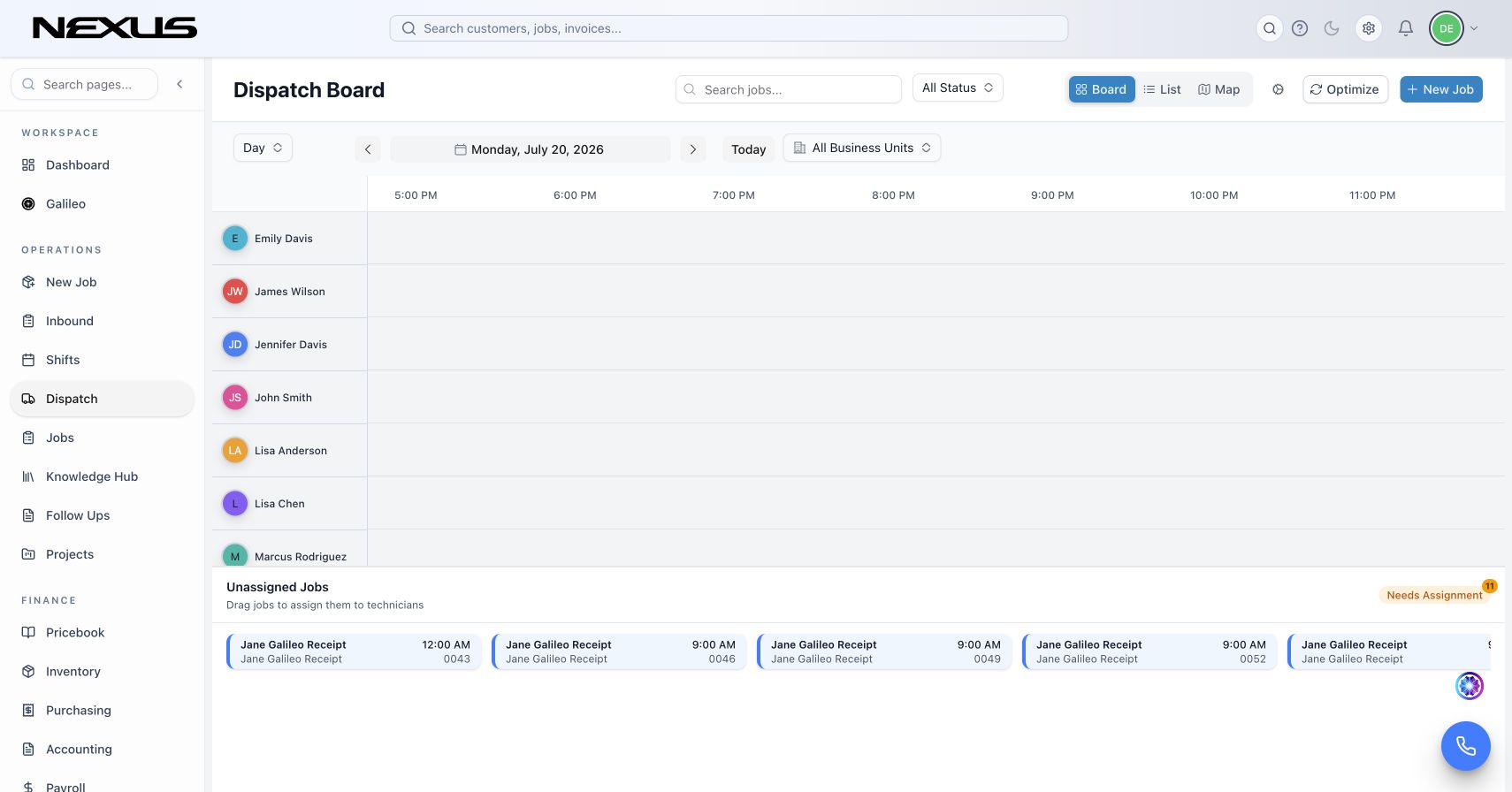
See the day, then move the next job. interface
conversion_path

Better recommendations

Balance skill, geography, urgency, and business value.

Use more than proximity to recommend the best fit for a job, while keeping the dispatcher in control of the final decision.

  • check_circleTechnician skill matching
  • check_circleTravel and arrival-window awareness
  • check_circlePriority and workload context
Balance skill, geography, urgency, and business value. interface
insights

Field alignment

Keep the schedule and the field in sync.

Every reassignment, status change, and job update flows into a shared operational record for the office and the technician.

  • check_circleMobile-ready job context
  • check_circleInstant schedule updates
  • check_circleOne source of truth for the day
Keep the schedule and the field in sync. interface

How it works

A clearer path from signal to action.

Nexus keeps the workflow understandable while the platform handles the connections underneath.

01

Prioritize

Bring emergency, promised-time, skill, and value rules into the board.

02

Recommend

Compare the best technician and route options using live context.

03

Adapt

Recalculate as jobs run long, priorities change, or new work arrives.

Questions

What teams usually want to know.

A strong platform decision should make the operating model simpler—not introduce another disconnected layer.

Does DispatchAI replace the dispatcher?add

No. It gives dispatchers stronger recommendations and earlier signals while leaving people in control of schedule decisions.

Can Nexus replace separate point solutions?add

Yes. Each Nexus product shares the same customer, job, and invoice record, so dispatch, field, finance, and marketing are looking at the same work.

Can we roll this out in phases?add

Yes. Teams can begin with the workflow creating the most friction, then expand into adjacent Nexus products without rebuilding their data model.

Does it work for field and office teams?add

Yes. Responsive office workflows and mobile-first field experiences keep both sides of the operation working from the same live information.

Buyer Paths

Continue from the product into the workflows your team is evaluating

Use these pages to move from product interest into category research, trade-specific evaluation, and platform comparisons.

See Nexus in your operation

Put your techs on a real board.

We’ll load a day of work and walk list, board, and map — not a slide.